Latest

‘Here We Are’ in Rolling Stone Magazine!

Surely the best way to launch a new music video is, indeed, to have it on the Rolling Stone magazine’s site, complete with a review and praise.

Rolling Stone Magazine

You can read the article HERE, and read my English translation:

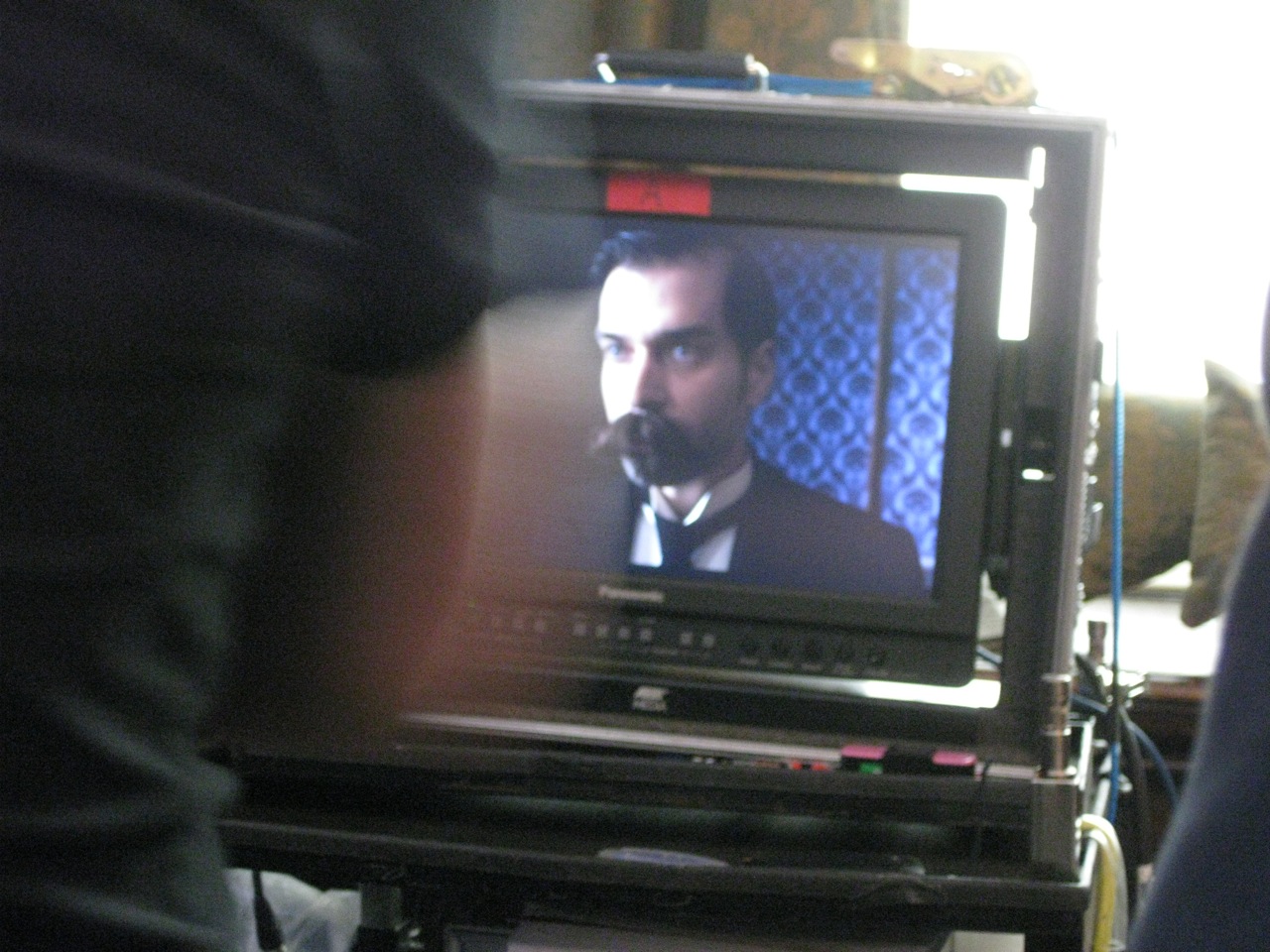
Intimate and minimalist, the video has something cyclical about it, which gives the impression of repetition of the same images played in a loop. And yet something de-rails, something unexpected happens, but you’ll only discover it by paying close attention: and thus Here We Are is the video for the single which marks the return of Gioele Valenti as Herself.

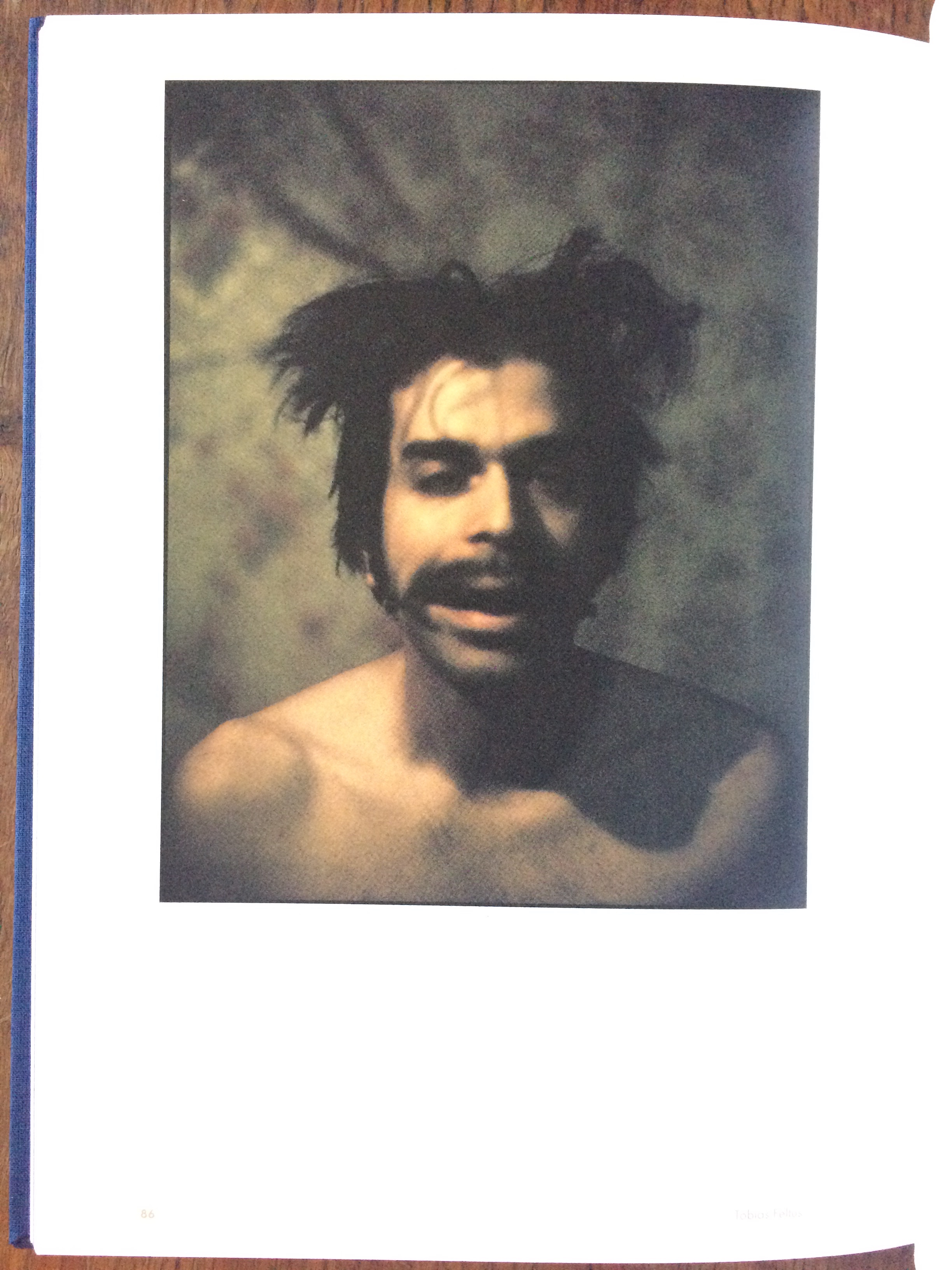
The mini-film created by Scottish [talent] Tobias Feltus serves well in understanding and appreciating the music of the Palermo-based solo artist, who seems to ride on well-trodden folk paths, enriched and occasionally interrupted by exciting canterburian echoes or gothic elements. This fourth album, simply titled Herself, sees collaborations with Amaury Cambuzat of Ulan Bator, Marco Campitelli from The Marigold and Aldo Ammirata.

As for the filmmaker behind the video Rolling Stone is premiering, Feltus is also a photographer and designer, known for his work with bands like Aereogramme and Lord Cut Glass under Chemikal Underground Records (the label of the ex-Delgados who have Mogwai and Arab Strap in their roster, and who launched Interpol). Aside from numerous exhibitions of photography in the UK and Europe, his resume also boasts the production of Solo Duets (2005), which was nominated for the Nastri d’Argento, won Best Animation at the Krakow Film Festival, and won Best Short Film at the Festival Du Cinema Italien at the Espace Pierre Cardin in Paris.

The video can also be watched on the Rolling Stone webpage.

Using your hacked GH1 with Final Cut Express (and fighting colour shifts).

Working on the music video for Herself‘s Here We Are was the first time that I attempted to streamline my hacked GH1′s workflow. Since my struggles dragged out into several days of trial and error, I hope that my findings will be helpful to others.

I chose to shoot the video in AVCHD 1080p50 because my current firmware produces ridiculously heavy MJPGs which have an excellent dynamic range, but are not practical to work with as I can only get just over 3 minutes’ footage on an 8GB card: limitations which remind me of Super8. So, my AVCHD *.MTS files seem to have an average bitrate around 14mb/s, similar to the original settings. I also choose to work with Final Cut Express 4, as I own a copy and am content to make fun things with the pauper’s tools.

The camera was set up in front of tungsten lights, with a lovely Zeiss prime. No fancy CP or ZF glass but rather the cheapest prime on the market, the M42 Tessar 50/2.8. Frown? No, it is one of the sharpest pieces of glass out there, and can be picked up for the price of a couple of pints of beer. It was never favoured as it is not particularly bright, but if you don’t intend to shoot at a wide aperture, there is little point in spending a fortune on something only just as good. The video was shot at f5.6, focussed at 0.7m.

So, the first thing that you need to do is follow this link, and download Panasonic’s QuickTime plugin. This will allow all of your software to read the camera’s *.MTS files without the need to transcode them (so yea, don’t ‘log & transfer’ the footage in Final Cut Express). The plugin gets installed in YourDrive/Library/QuickTime (not your UserName’s Library). You will need to restart your machine before it becomes accessible. Copy the AVCHD folder from your card to a hard drive and call it something like “avchd archive”. The folder structure of AVCHD is a bit confusing, and is apparently a playlist of individual files, which only becomes handy when you have clip lengths that create files over the maximum file size limit of a FAT formatted card. So everything you should really need is contained in AVCHD/BDMV/STREAM, and all the files will have a *.MTS suffix.

Now, I decided to convert my *.MTS files to ProRes 422 HQ using Streamclip (which you can download for free
HERE)
. After editing I did find that I could now just use the *.MTS in Final Cut Express’s timeline, and I am not sure if there is a disadvantage to doing this. The reason why I started exploring these codecs is that my initial import, Logged and Transferred in Final Cut into its Apple Intermediate Codec, looked washed out and varied in tone when I exported the edit from Final Cut. ProRes is a Quicktime codec which you should be able to find on the internet; the main download from Apple (here) appears to require one of their ProApps to run, but I shall leave this detail to you, if you need it.

I found that editing the footage was smooth. Both the ProRes, Apple Intermediate Codec and raw *.MTS files will play smoothly without the need to be rendered. I did a tiny bit of grading before exporting, but found that no sharpening was needed, as it destroys that film-like quality that you can get with a good lens. The main issue I had was with the low quality of the native Apple Intermediate Codec which was perfectly good for HDV footage, but seems to loose a lot – especially in the shadows – with my current setup. Assuming that the quality of each of your clips is the same, I do the grading by making a new Sequence, and placing your edit on its timeline, then applying your filters to this new Sequence.

Apple Intermediate CodecProRes 422 HQProRes 422 HQ

ProRes 422 HQ

Ranting Addendum: I still feel that many of aspects of working in time-based editors (audio and video) are kept in a manner to preserve the talents of old practitioners, and keep their ‘secrets’ magical. For some reason I was unable to find any tutorial on exactly what I was trying to do, and colour grading in Final Cut Express bares almost no resemblance to how one works with an image in Photoshop or Aperture. To me the important thing here is to have a clear ‘vision’ of what you are after, as tinkering can be slow and clumsy. When you are happy, you then need to export a ‘Master’ file. Now, one often debated issue with any image editing is monitor calibration. Since the output of most of our media will be online or on a DVD and a TV or projector, using a “broadcast” calibrated monitor really should not be an issue, as each output device in the future will be different. Ideally you want your monitor calibrated, so that you are happy with the way that things look in a “correct” manner, and hope that future viewers’ displays are close enough to also be good. Forums are littered with ‘pros’ saying that only broadcast monitors can show the right colours, to which I raise some fingers. Of course they have an opinion, but what are ‘real’ colours? the only time they exist in digital photography is in the interfacing between display and print. There is no right and wrong. The LaCie display at the lab is calibrated to reflect the Epsilon’s print output accurately, and that is all that matters. I can’t get mine to match the lab’s, which also does not really matter, as final proofing is always sone on that display.

Now that my rant is over… Final output is, once again, a big issue. According to what I have found, there are differing gamma settings between Final Cut’s canvas and QuickTime, etc. I was able to get my ‘Master’ export to look like the Canvas by exporting it in ProRes 422 (again, an AIC export shifted drastically in colour), however it took a lot of work to figure out how to compress the ProRes file for web use with the same colours. I can’t reinforce how important it is to make multiple saves – at this stage – as something went wrong the other day and I did loose a lot of work on the grading of the video.

The solution I have come to is the following:
1. Calibrate your monitor – I used my Spyder 3, and went for a ‘normal’ setting of 2.2 Gamma and a white point of 5000k, as this is what I normally use for print output. Using this, do your grading visually in Final Cut Express. Despite the fact that calibration for web-output shouldn’t make any difference, it does give you an input colour profile to work with.
2. Export your Master as ProRes 422 HQ. I left the audio settings as AAC 44.2kHz 320kbs HQ. In the Filter field I set colorsync with my current monitor profile as the input, and sRGB as the output. This gave me a very close match.
3. Using QuickTime’s H.264 encoder just seemed to not work. I have the feeling that the encoder is designed for ‘normal’ colours, and hence that it will change anything else erratically. After several days of mucking around and being very frustrated, I found this blog which recommends using another QuickTime component called x264, which you can download here. Again, this gets installed in YourDrive/Library/QuickTime. So now you should be able to open your ProRes master in QuickTime Pro, and export ‘Quicktime as Quicktime movie’, setting the encoder to x264, and limit your bandwidth if needed. I found that this, finally, produced good colours. Remember to check in the Settings of the plugin that you have the correct framerate, I ticked the Add Gamma 2.2, and b-frame to Optimal, and Use 3rd Pass.

During the compression nightmares I wondered whether I should have spent the £35 and bought Compressor: economically it would have been the cheaper option, but now maybe I have written something that can help someone else save the cash. Never having used Compressor, I don’t know whether it would allow me to preview the output accurately and, most importantly, change what parts of the image are compressed most heavily. Despite the fact that digital video is now even spooled to us on our TV, h.264 compression is good, but its dynamic range is not really able to display colour gradients in a smooth manner. All of my work is subtle, and often dark: frustratingly I think this makes me more prone to noticing the rainbowing in gradients and the blocking of shadows which – probably – no one else will care about.

Piazza Camera, kamra-e-faoree, or that which is kind of Polaroid and kind of darkroom.

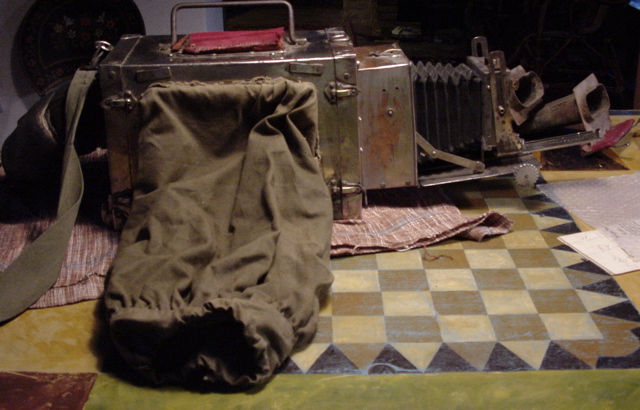
A few years ago, my father bought me this curious camera at the street market in Pissignano (TR). He remembered having been photographed on a similar machine when he was a teen, maybe in Naples or Rome, but we were not clear on how they worked. Deduction showed a lightproof storage chamber, a long sleeve, a very crude shutter mechanism, what I thought to be a printing-out window at the top, and two vertical chemical trays in the bottom. What he remembered was that they were used by photographers to take street portraits of people, and hand them a print just minutes later. And hence its vague connection to Polaroid. But the similarity ends there.

My reason for writing this, is that I just stumbled upon this website, which has a wonderfully comprehensive study on the use of these cameras in Afghanistan. The site explains how they work, and also has an extensive collection of photographs taken with them, and of them in use today. It even has an eBook to download, which explains how to build one. It is hardly worth noting, but the authors of the website do specify that the Afghani street cameras have an internal focus mechanism (moving the paper negative to and from the lens), as opposed to having a bellows, like my camera, to focus in a more typical manner.

The use of the kamra-e-faoree is hardly practical – by our modern expectations – but nonetheless wonderful. In principle, a photograph is exposed onto silver-gelatine paper. The paper negative is then developed and fixed within the darkroom of the camera body, and placed on a stand at the front of the camera where it is re-photographed, to produce a positive (again on paper), which is developed, fixed and then rinsed in a bucket or fountain.

Though the Afghani cameras were predominantly used for ID photographs, the process they use is identical to that of the European tourist cameras: a system that I imagine has been in use worldwide, but seems to have slipped past most of our knowledge, and is not mentioned in any book that I have ever read on photography.

Somehow this process seems both more romantic and more practical than those predatory snappers who plague tourist traps with cameras, and hand you a card offering you prints the next day from their studio (though I don’t know if this still happens, as I have not been a tourist since the advent of digital photography).

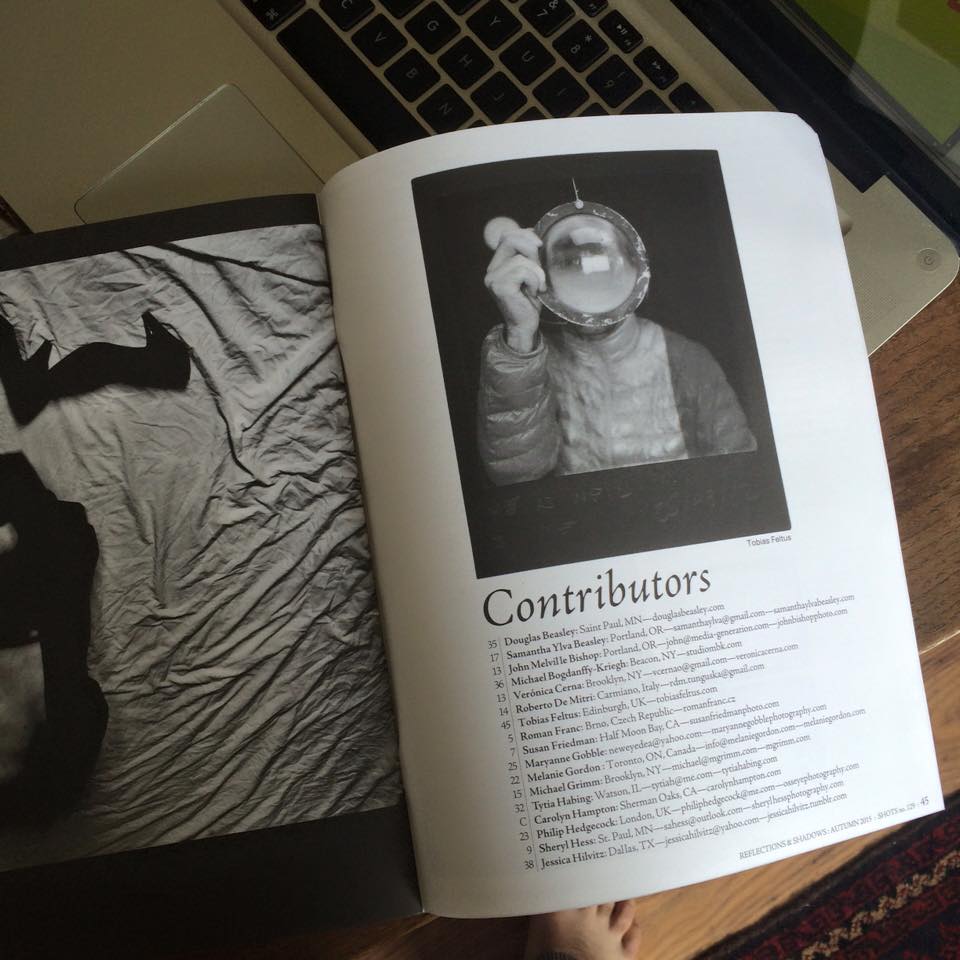
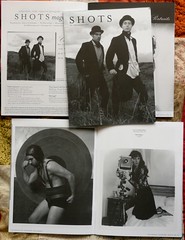
In print: Le Negatif

I am always pleased to find myself in print. Yes, I mean always, as even bad press is good press. And there is something particularly charming about being niched in publications that only publish film photography.


X-Synch on the Graflex RB Super D

I was puzzled that the internets seems to have no information on the Super D’s flash synch. I posted on Graflex.org looking for some insight, but ended up – eventually – investigating the system myself.

The result? Yes, you can use electronic flash on your Graflex RB Super D! How? well, simple. Using what some folk call “drop curtain”: what this meant was obscure to me too, but I worked it out. The shutter on the Super D gives you speeds from 1/30 to 1/1000, however there are two other speeds which you can obtain: if you lock your mirror down, and roll the shutter curtain to “O”, when you release the shutter, the mirror flips up exposing your film, then the shutter closes. At the lower spring tension you get approximately 1/5, and at high spring tension you can obtain 1/10. This is brilliant, isn’t it? Yes, but even more so when you consider that these two speeds can also be used with electronic flash, as the flash contacts close when the mirror completely clears the film gate!

Disassembly:

Once I had figured all of this out, I was disappointed to find that I was unable to trigger my flash, so I had to check the flash contacts and see what was up. To get at the mechanism, you need to remove the shutter plate (where you set the curtain aperture and flip the mirror). Before taking off the plate, I would suggest removing the back (remember there are a few hidden screws that you can only access with the back partly rotated), so that you can use a (white) pencil to mark the position of the upper lip of the shutter curtain on “O”. To remove the shutter plate only four screws need to be removed, but you also need to extract the pin that is on the mirror shaft. This took me a couple of weeks, and I ended up using a microjet torch (the variety that takes a butane lighter inside, and burns up to 1300c with a tiny sharp flame) to heat up the metal locally, just enough to be able to tap the pin out. The concentrated heat seems to not cause any problems, and with a few seconds was just enough to loosen its grip. Be careful and gentle – don’t force anything. Then remove the four screws (one may be flat-headed), and the shutter will close. Don’t panic.

Repair:

What you will find is that the actual mechanism of the Super D’s shutter is remarkably compact and simple, and that the flash contacts themselves are little platinum tips like what one would expect inside a motorbike engine’s distributor. Give everything a wee clean. The leather will probably have a bit of greenish waxy oxide on it, and some dust. The flash contacts are very easy to adjust, but I would start by spraying some contact-cleaner or switch-cleaner into them, and maybe fiddling a bit of paper over the platinum points. The reason why my flash was not triggering is that the “thumb” at the bottom-right of the shutter mechanism. The thumb is the spring-loaded part which is meant to close the contacts when the mirror hits home. Said this, it also appears to be held in place with a tin-plated screw which has oxidised over the past 65 years, and hence become a bit stiff. So unscrew that, use a dry brush to clear off the oxide, then I added some PTFE lubricant and reassembled the thumb. Check that all of the other moving parts are free. I added some PTFE to a couple of the other pivots, and cleaned the dry grease from the upper curtain roller bush. Make sure you did not get any lubricant on the flash contacts (or clean them again), and check that the gap is good: connect an ohmmeter to the contact prongs, and rotate the mechanism to make sure that the thumb is closing the circuit, and that it is opening again. If you need to adjust it, you bend the upper contact by a hair, using a screwdriver or something (it is very malleable). It is also worthy of note that the flash timing would be adjusted by the shape of the thumb, but it should be right, so don’t bend it.
Reassembly:

Once you are satisfied that everything should work smoothly, rotate the curtain key until the “O” is centred in its window again, as you are likely to have wound the gears way past its correct positioning. Make sure it is centred, and not just visible. At the back of the camera, wind the curtain up until your pencil marks match. Try using something like masking tape on the ribbons to hold it, probably just above its marked position, so that you have enough play to mesh the gears. Place the shutter plate onto the two pivots, and wiggle it until your gears mesh, place two screws to hold it tight, then untape your curtain, and check that it holds with your pencil marks matched up. If they do, then try running the shutter at its different gaps to make sure they are all correct (as in they start with the gate closed, and end with the gate closed). Replace the other two screws, position the mirror lever and replace its pin (which may not be easy). Replace the rotating back.

If you are lucky, you may have some kind of a cable which plugs into the two-pronged flash port. I did not. So I had to make an adapter. I made the contacts out of a figure-8 connector, which i covered in heat-shrink tubing, soldered on a PC socket, and then caked the lot in Milliput® epoxy putty. I put cling-film in the socket first, so that I could get my putty out when it had cured (this works well), and then I filed and sanded it back. Some day I shall get round to painting it black too.

In conclusion, this solution makes the Super D one of the most ductile large-format portrait cameras, as you can look through the lens without the delay of then closing down the shutter to load film. Though the Super D has automatic diaphragming for its own three lenses, I only have one of these, and plan to modify the front standard to take brighter lenses like the Dallmeyer Pentac 8″ f2.9, and being able to use electronic flash with these lenses is quite an unusual privilege.

Richard Learoyd: finding ways to trivialise the digital era.

Last week Sophie and I went to visit the newly reopened Scottish National Portrait Gallery. The new layout is accessible – more so than before – and reminds me of the McManus in Dundee, being of a similar period: a glorious building indeed, with one of the most spectacular foyers I know of.

The museum does, of course, have many of the usual suspects – many of the kinds of paintings that one would expect from a portrait gallery including one of the most striking paintings of Mary Queen of Scots, which you can get up close and intimate with. Some of my favourite pieces in the collection, however, are the early photographs: The John Muir-Wood salt-prints, Paul Strand’s photogravure and Archibald Burns‘ views of Edinburgh in the 1850s, counterposed with the humour of Catriona Grant’s Cows, and the imaginative use of photography in Calum Colvin‘s work (though I am not impressed with the inkjet-on-canvas that is on display, and cheekily described as a ‘Giclée’).

One piece, however, stole all of my attention. This giant photographic image – over a metre square – stood out and dominated. Initially I was simply excited by its scale and colours, so I got close, only to find that its detail was infinite, and it had a familiar metallic shimmer. The label said that it was by Richard Learoyd, and that it is a direct positive made on Cibacrhome (or Ilfocrhome) in a purpose built camera, and on loan from the artist.

It is such an alien experience to walk up to a print (as I often do), and not find any defects nor artefacts in the print itself: I am so used to seeing decay in a strand of hair, where a digital input or output device has been unable to describe a sharp diagonal. Or indeed noise in a gradient, as 8bit files are not particularly suited to describing the tonal range of such common graduated qualities of light.

Around the fingers of her right hand the depth of field is around 2cm, and within this area one strand of black hair stands out (though less distracting than that one pube in Weston’s Nude 1936) which is impeccable. Sharp as a scalpel. At this moment the image opened up to me, expanded and became infinite. Despite the fact that some digitophiles might argue that soon they will be able to reach this kind of detail as well (since an average print 1m square is a mere 139megapixels), I feel that Learoyd has created something that we may loose. What he has done, is build a camera that is more akin to a house than to a disposable camera. According to what I have read, he works from within the camera, standing inside it rather than looking through it. The image is exposed directly onto the Cibachrome, which makes a positive image without the disruption nor need of anything as intermediate as a negative. It represents a raw reality more purely than our eyes could possibly do on their own.

The only picture of his camera that I have found is here, which shows little more than its size and a hint of the size of the light-bank needed to expose such a mammoth of an image. Of course making images like this is not particularly practical, and hence why Learoy appears to be the only person making pictures of this kind.

I don’t think I have ever had such a gobsmacking experience with a photograph that I did not already know and love. The beauty of reality created by Learoyd is one-off and one of a kind. Nothing artificial has interpreted nor interfered with it. The relationship between scale of the the subject and lens, the chemistry and artistry in his process is one that no digital arrangement will ever truly mimic. And yet mimicry is seemingly one of the most important omissions in his process.

I highly recommend that, if you have the chance, you visit one of Learoyd’s images. I say visit, as I think it is a little more than just going to see a photograph: it is more like visiting a classic painting that you have known for years, but never seen in its physical state. And yet at the same time, it is more intimate, as you are entering a real world that you have never seen before.

Wondering what I’ve been up to?

So this is my first post of the year, and I have nothing sensational to write. Actually, I never have anything sensational to write.

I have not been taking pictures, but rather dealing with other bits and pieces. In December I started writing a book, my ‘Beginner’s Guide to Photography’ (working title, of course), which started as a Christmas gift, and then expanded, gained illustrations, edits, and became something worthy of sharing, at some point. I have been talking with Rachel about publishing it through The Soup Lab, and possibly gaining some other affiliation to help it become more available. It starts like this:

For some, photography is a compulsion, an addiction; for others a hobby to talk geekishly about. For others again it is a profession that holds no more romance than sweeping a street, but this is of no less importance.


If a man is called to be a street sweeper, he should sweep streets even as Michelangelo painted, or Beethoven composed music, or Shakespeare wrote poetry. He should sweep streets so well that all the hosts of heaven and earth will pause to say, here lived a great street sweeper who did his job well.


- Martin Luther King Jr.


No matter what your approach, the camera is a tool. Like any other, the one you choose and how you use it can influence the outcome. 


My intent is to introduce principles that many other books treat in depth; to show that ‘complicated’ aspects of photography can be understood in a simple manner. After all, rules understood are rules to be broken: not something to be coveted as an intangible holy grail.
 

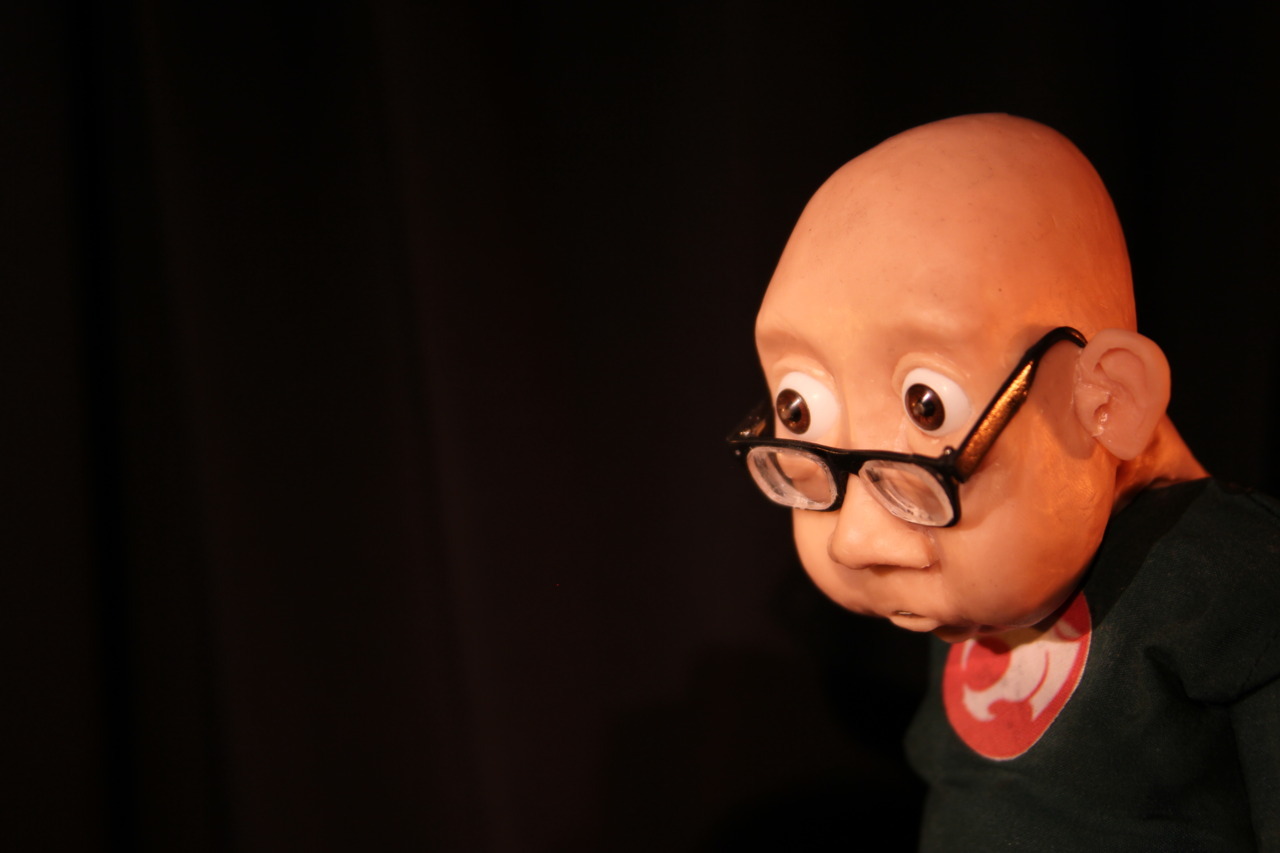
I also have been working on some pieces for Ainslie Henderson’s animated film: a couple of months ago I made him a pair of spectacles

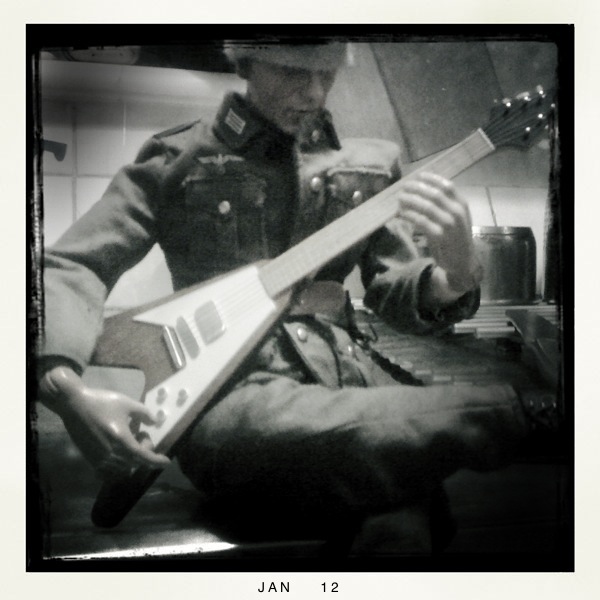
… And today I just finished a Flying V

Sophie has started a blog, and we are in the preliminary stages of writing a new film with Will Anderson. Speaking of which, I shall also – at some point – share pictures of the show at Inverness Museum, which will still be up for another few weeks.

And, of course, I am also re-coding my (this) site, so that the image galleries pull images from flickr, and the whole thing is iOS compatible.

Destruction of personal possessions as art or revenue?

My girlfriend sent me a link to the Telegraph with an article on Michael Landy’s ‘new’ ‘art’ project titled “Break Down”. I have liberally used commas as, honestly, I struggle to see this as neither a new process nor art.

I feel that the whole premise of the performance is clarified in the opening paragraph, where it states that the ’14-day artist’s “performance” [is] commissioned by Artangel’. It is my opinion that this kind of “performance” could only be made by a person with no personal effects (and I have met some artists of this nature), or with the promise of a large sum of money.

I do, generally, have great difficulty with conceptual (and) performance art, as I feel that they are often devoid of those aspects which give art its purpose: nominally those that give something to the spectator, and those which leave something to posterity. The kind of performance that Michael Landy has created leaves nothing, as everything is destroyed in the process, and gives nothing more than a voyeuristic sense of gratification that shall be short-lived. It is highly unlikely that someone would visit his ‘performance’ and then talk to friend in the pub later on about how sensational it was to see this man in a boiler suit placing his DVDs and art collection on a conveyor belt in a dusty room. The whole effort feels less grounded than dedicating an hour a day to religiously watching Big Brother on TV.

So what is the artist hoping to obtain from this inane destruction of personal property? It is not going to be documented in art-history as being a piece ‘destroyed by the artist’: we all know Umberto Boccioni’s futurist sculptures of which there are few in existence, however photographs remain of other delightful forms that the artist destroyed. No, we will not have an entry with a snapshot of a man’s flat, dated 2011, with ‘destroyed by the artist’ underneath, as it would not be of any interest.

I have a problem with destruction as it is: I struggle to throw away a blank piece of paper, as it has potential; I struggle to throw away a doodled piece of paper as it might be important. Though destroying things that can be replaced, like DVDs, is less problematic, their destruction still creates an inane hole in society: a waste of resources. Destroying other people’s art seems purely disrespectful of their time and effort, especially when the purpose of the act is purely that of destruction, even if the aim of this is for personal gain.


The Making of Longbird: A Retrospective

Last night we were told of this wonderful review of our show at the Inverness Museum, written by Georgina Coburn.

WINNER of the Short Grand Prix at the Warsaw International Film Festival 2011, the Golden Dove and Audience Awards at the Leipzig Film Festival and nominated for a New Talent Award 2011 by BAFTA Scotland, Will Anderson’s animated docu-fiction The Making of Longbird is the centrepiece of an intriguingly multi-layered exhibition.

WILL Anderson, in collaboration with Tobias Feltus and Sophie Gackowski, has constructed artefacts and ephemera to conjure belief in the existence of a master turn-of-the-century Russian animator Vladislav Alexandravich Feltov, creating a fascinating “Retrospective” which explores artistic persona, collective memory and the nature of cinema.

When seeing each object the viewer begins to question the narrative labelling of each piece as part of a larger authenticated fiction in the museum/gallery space. There are many layers of enquiry here; a combination of historic fiction, artistry and playful deliberation that together with the choice of techniques and presentation of objects explores our relationship to still and moving images as repositories of human memory.

Tobias Feltus and Sophie Gackowski’s forged family photographs of the great Feltov utilise early photographic techniques pioneered in Scotland in the 1830’s, fixing shadows of identity in a series of cyanotype prints. The use of early photographic techniques presents an interesting counterpoint to Anderson’s dialogue of resurrecting the animated fragment (of a cinematic work of fiction) and “modernising” it for a contemporary audience. Use of digital techniques coupled with the deceptive simplicity of scissors and paper give Anderson’s work an immediacy and creative integrity that define him stylistically.

The notion of a “masterpiece”, authenticity, authorship and the artist as creator are interwoven with self consciousness and humour in Will Anderson’s presentation of himself and his creation, Longbird. What shines through is Anderson’s emerging talent as an artist and animator. The musician Martyn Bennett once said that in order to be pioneers we first need to acknowledge that we are heirs, and this ethos certainly resonates in Anderson’s intelligent, comic and imaginative film, evoking the inherent magic of early film and photography.

The opening sequence (Anderson’s creation: a fragment of Feltov’s masterpiece which has presumably survived the “Great Fire”) is incredibly fluid and beautifully realised, an almost kaleidoscopic vision flickering to life, marks of dust and time creating the illusion of aged celluloid. The way that Longbird picks up the edge of his own frame of reference in silhouette and curls in on himself is an apt metaphor for the explorations of the artist.

This curiosity is a major strength in terms of Anderson’s evolution as a unique creative voice. The angular morphing of imagery reminiscent of German Expressionist design and imitation of physical decay visualised in the projection itself, authenticate the film as belonging to another era. Sound also succeeds in placing the audience in another age with crackling cylinder, the audible clicking of a speeded-up projector and silent era piano accompaniment halfway between musical hall and cinema.

What follows Feltov’s Longbird is part documentary; “archival” footage of Feltov at work and the documentation of Anderson’s attempt to bring Longbird back to life with lively exchanges between the animated character and artist. Longbird makes his debut on “Chitter Internet Video” before being killed off by a cue from the script and a recreation of the famous fire that destroyed much of Feltov’s “original” work of genius. Also screening in the gallery space is an interview between Media critic Anslie Henderson, the artist and Longbird voiced in a thick Russian accent, the animator letting his creation out of the box.

Although many of the labels on objects are infused with the joke of fiction permeating the whole gallery space there is something quite poignant about the display of film equipment and memorabilia now seemingly rendered obsolete in a digital age. An 8mm editor and viewer, an invented “Feltotrope (c.1887) evoking early moving image viewing devices from the Victorian era and the presence of architectural drawings, photographs and seating from the old La Scala Cinema in Inverness, anchor this loss in living local memory.

Screening with Anderson’s “main feature” in the small gallery cinema are a series of animated films from Edinburgh College of Art graduates past and present, including Joseph Feltus’s wonderfully ambiguous Solo Duets, Jessica Cope’s The Owl House and the poetic simplicity of Adore by Michael Hughes. Solo Duets is particularly beguiling in its haunting use of waxen human figures and interior scenarios.

It is exciting to see these films by Scottish based animators in the IMAG gallery space and hopefully the venue will be able host further showcases of such work, bringing it to the attention of a wider public audience. It is also extremely encouraging to see Will Anderson’s exploration of craft, memory and perception at the heart of The Making of Longbird recognised both locally and internationally.

© Georgina Coburn, 2011

Originally posted on Northings.

PocketWizards: How to buy them second-hand.

I was surprised to find that there are no instructions on the webbyweb for the purchase of second-hand flash triggers. I have been using a set of “cheap Chinese” radio triggers for years now, but they are on their last limbs, despite having given trouble from the very start. What kind of trouble? I think the very first shoot I took them on was with Aereogramme in the basement of the Classic Grand (Glasgow); I had three Metz 45 strobes, and had intended to light the hall so that I would have had nice sharp pictures. The band was all on edge, as it was before their gig and, well, so was I as only one of three receivers would trigger. In retrospect I wonder if the Chinese triggers were running an FCC frequency (see explanation below), or whether there was some strange RF interference in the basement, but it remains that the pictures came out shite because the gear failed.  Subsequently one receiver died completely, and the others have managed to destroy other gear, such as the beloved PC-cord for my Vivitar 283 which, of course, was the only flash I had in my bag when I was shooting the green bathroom shots for Violence Was Offered, which forced me to shoot it with on-camera flash.

The solution is one. New triggers. My friend Victor has been trying to persuade me to go with his design of optical slave which, accordingly, is very reliable even in daylight. My reluctance is twofold here:

With my Bowens optical slaves I find that the smallest obstacle, even indoors with white walls, can often mean that I can’t trigger a second flash, so I have little faith in optical slaves. And by smallest obstacle, I mean the actual light modifier.

I don’t fancy being caught out in yet another DIY project that is unreliable and unsightly just to save some money that, ultimately, is not saved, but rather just a waste of time. I am not an engineer, and my facilities are limited.

So I decided that maybe I should invest in a set of PocketWizards. Even the original Plus system would be good. Since I have already had problems with this plan, I thought it worth writing up a blog to someone else out.

Why PocketWizards? As far as I am aware, there is only one player on the market who is selling a radio trigger system worldwide which is compatible with itself and other devices. What do I mean? When I got the Chinese triggers a few years ago I had not even contemplated the fact that after I had purchased the bits that I had, I would not be able to add to the “system”, as I would never be able to find a compatible device with the original set I had bought. So they are out. Other “real” companies such as Bowens, Elinchrom, Quantum and a few others have released their own radio triggers, but often they are single band and compatible only with themselves. With the Quantums, if I recall, they made four frequencies, and you had to buy that one frequency for compatibility, which is limiting as they are incredibly hard to find. I hear of other newcomers such as Cactus, Radiopopper and Phottix; the latter seems to come in a CE version, but the first two are not even marketed in Europe, and I have no idea what their pedigree is, nor what their company security is. So in essence, Pocketwizards seem to be the best investment, as they are the most likely units to continue to work, and continue to be compatible over time, as well as being rumoured to be the most reliable manner to trigger a flash. They also have the great advantage that all of their models (I believe) are compatible with each other, so you can get an older Plus (separate Transmitter and Receiver units) and a newer Plus II (Transceiver model), and their 4 frequency bands will work together. This is a great advantage.

What to look out for: The stuff that no one else bothers publishing on the web! Radio frequencies are used differently across the globe, and certain bands are open for civil use in each region. Of course, my friends, the USA has its own bands, and Europe has others. Why does this matter? simply because if you use an American radio trigger in Europe, its frequencies are within the same band as our beloved mobile phones, so as you get a text, all your flashes will go off, and when you try and trigger your flash your neighbour might misunderstand his lover deep in conversation on how to carry on with their covert fling, rather than your flashes firing. Frustrating. And on a side-note, I think it is also illegal.
So where did I go wrong? I found, on eBay, a set of one Plus transmitter and two receivers at a good price: I pounced despite the seller not knowing whether they were the right version for Europe, and of course I could not establish this because there is nothing published online about how to distinguish the versions. So I wrote to PocketWizard, and got a rather prompt response:

“The quickest way to determine if a Plus radio is FCC or CE is by looking at the side near the power switch. CE radios have a large CE icon, whereas FCC radios have a small FCC logo or a string of text that starts with FCC. All of our radios, including the FlexTT5, MiniTT1, MultiMAX, and other receivers and transmitters have one of these symbols on the side or bottom of the radio.”

I wish that this was information that was simply published on their site. And to clarify, FCC is the USA system, and CE is the European system. I believe the classifications may also be legal in other parts of the world, but this does not interest me right now.

In conclusion, I am still triggerless and hope that, eventually, I will either find a set of CE Pocketwizards at a good price, or be blessed with the opportunity to be able to afford them new.

*UPDATE*

The other day I got Calumet’s catalogue, and in it I discovered that they now have their own Pocketwizard clone, the Calumet Pro Wireless Transceiver. To further this, I find that there are possibly other clones, including the new Interfit Titan Pro and the Phottix Atlas. The thing is, I have no idea whether they are truly compatible. My worry about buying anything other than a PW has been the product longevity, but if one of the cheaper units is compatible with PWs, then it becomes a viable option and, at £150 for a pair, the Calumet Pro Wireless Transceiver costs half as much as a Pocketwizard Plus II (though Amazon.co.uk is listing CE PW Plus II units at £99.99, all of a sudden, as well). So I called Calumet to confirm that these units are compatible, and the chap claimed that their unit will work with a PW, but that its range is inferior. As for the other units, all I can see is that they look the same, and some reviews claim they are the same hardware branded differently, which would suggest that the Phottix is the ‘original’ which Interfit and Calumet have re-branded.

My Calumet Tranceivers arrived yesterday, and I have not yet had the chance to actually use them, however I have already found some very good things about them. Boxed, they come with good quality accessories, including a gold-plated PC cord, a cold-shoe for placing the unit between the camera and a hotshoe flash (Which I assume would also isolate a high-voltage trigger from the camera), and the overall build quality is indeed superb. As for their range, one thing I am sure of is that their range is far greater than a wireless-N network: My flat is small, but has several walls, and even a new N router is not strong enough to have the internet across the whole flat, so I have two routers doing this. However the trigger is perfectly happy to trigger a flash through all of these walls, and without the antennae even pointing upwards. So far, this is fantastic, as I shall never need to trigger a flash through several walls, and the old triggers often would not fire in the same room. Another important feature which Calumet does not bother  to specify is that they can handle a sync voltage of up to 400v, meaning that they should be safe with pretty much any electronic flash of any age.

I have now placed an order for a twin set of Calumet Pro Wireless Tranceivers, and I shall update this blog once I have tested them thoroughly. I think, however, that the conclusion is not to buy used PocketWizards, however I have, at least, put in writing how one can establish the frequency of a PocketWizard.